Usage
- Open a normal http(s) page and click the extension icon → Start annotating. The changelog panel appears on the right.
- Pick a tool from the palette and mark up the page: click to drop a callout or place text (it prompts for content), drag for an arrow, select text with the highlight tool, or use element to hover-and-click a whole element and comment on it.
- Switch to the Select tool (the cursor, first in the palette) to edit: handles appear on marks and the cursor changes. Drag a callout or text label to reposition it, drag an arrow’s endpoint handles (or its line) to retarget it, drag a highlight’s start/end handles to extend or shrink it, and double-click a text label to retype it. Dropping a callout, text label, or arrow head over new text re-anchors it there.
- Add notes/comments in the panel; delete markers with ✕.
- Click Copy to clipboard and paste the Markdown + screenshot anywhere, Copy
share link to hand the marks to a teammate on another machine, or Send to
agent to hand the brief to the local
share-the-markdaemon (see Connect a coding agent).
Options
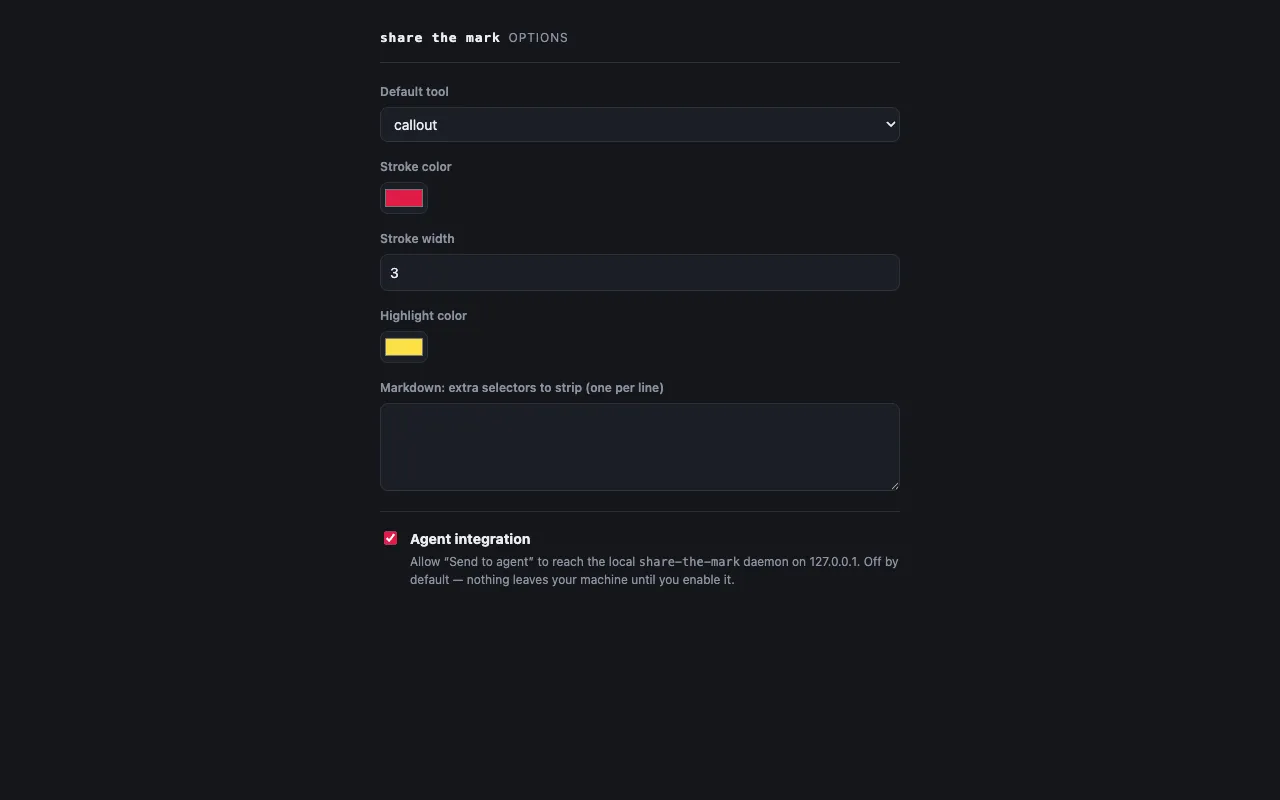
The Options page sets your default tool, stroke/highlight colours, theme, and the screenshot capture mode — Visible area (a pixel-perfect screenshot of what’s on screen) or Full page (re-renders the whole scrollable page so an agent gets the full context, at lower fidelity). It also surfaces copy-paste commands for installing the CLI.