
What it does
Activate annotation mode on any page and mark it up with five focused tools — callout (auto-numbered marker), text, arrow, highlight (a real text-selection highlight), and element (select a whole element and comment on it, for design feedback).
Every annotation is content-anchored using the W3C Web Annotation model (Hypothesis-style text selectors): a text-position offset plus a text-quote with surrounding context, scoped to a verified-unique element selector. Resolution falls back from position to a fuzzy quote match, so marks track the content as the page scrolls, resizes, reflows, or re-renders — not just on resize. A live changelog panel tracks every marker; you can switch tools, edit notes, and delete markers (callouts renumber automatically).
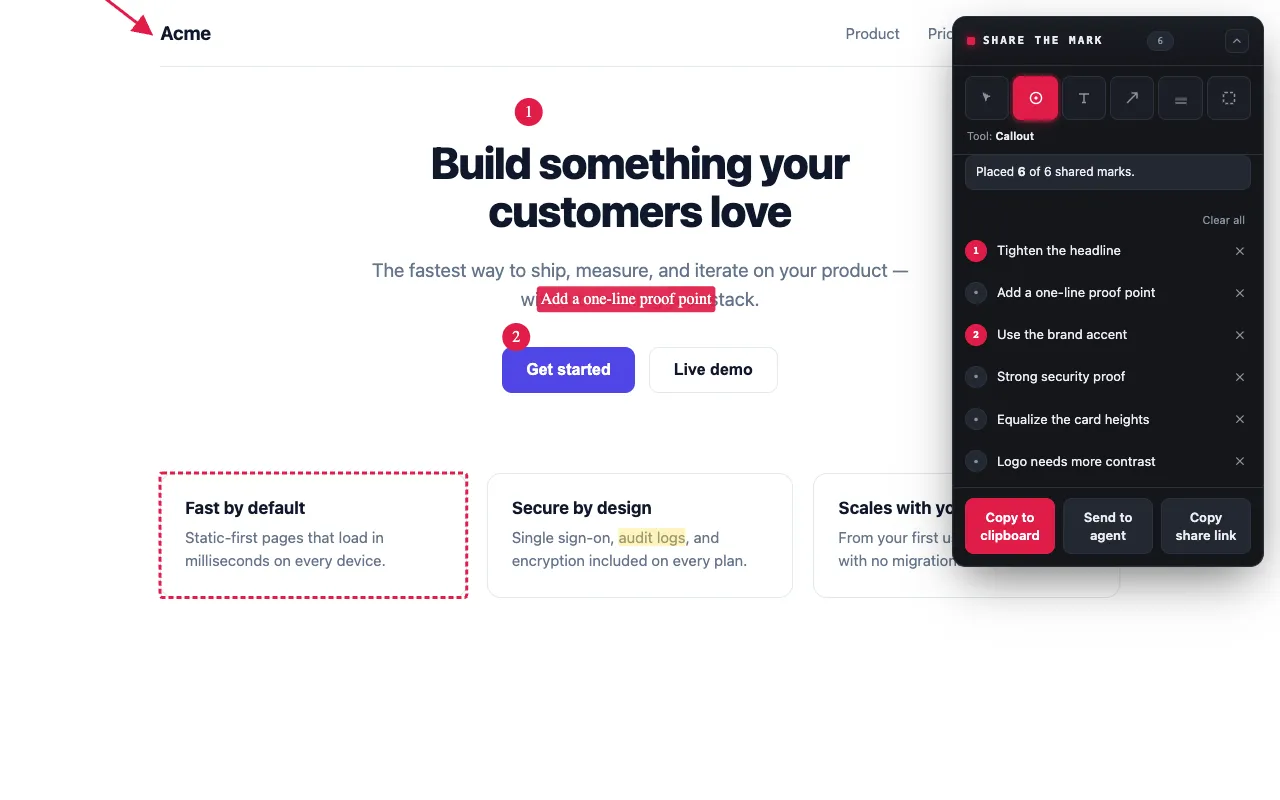
Export: Markdown + screenshot
On export, the extension composites the annotations onto a screenshot and writes
both a Markdown changelog (text/plain) and the annotated PNG (image/png) to
the clipboard as a single item. The Markdown is stable and agent-friendly:
# Change brief — Example pageSource: https://example.com/pageCaptured: 2026-06-17T00:00:00.000Z
1. Fix the heading copy   Element: `#hero h1`2. Remove this banner   Element: `[data-testid="promo"]`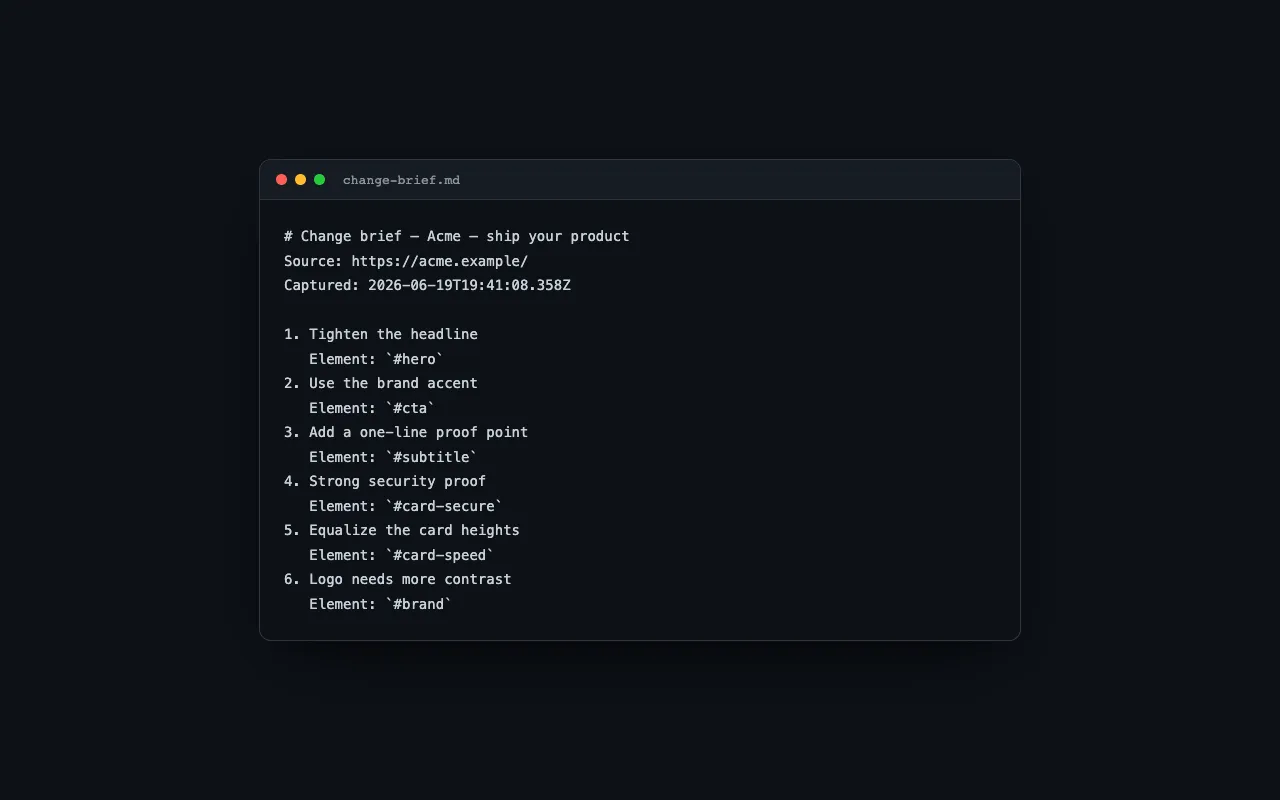
Share without a screenshot
You can also Copy share link — a compact token of just the annotations (no screenshot). Paste it to a teammate; when they open it, the extension reopens the page and redraws the marks against the live content, so a review travels across machines without a screenshot ever leaving anyone’s device.
Status
Shipped: the annotation core (five drawing tools plus a select tool,
content-anchored selectors, the in-page changelog panel, screenshot capture +
compositing, clipboard export, per-tab/URL persistence, options page); agent
integration through the local share-the-mark CLI/daemon; and cross-machine
sharing via copy-paste share links. The content script is injected on demand
under activeTab, so the install requests no host access. Deferred: a
FileSystemSink, a native side panel, and Firefox e2e — see
SPEC.md.